
My Town : Wedding
My Town Games LtdEducational
4.1120.00 Reviews
- Version
- 7.03.09
- Installs
- 50.00K
- Age Rating
- Everyone
Screenshots



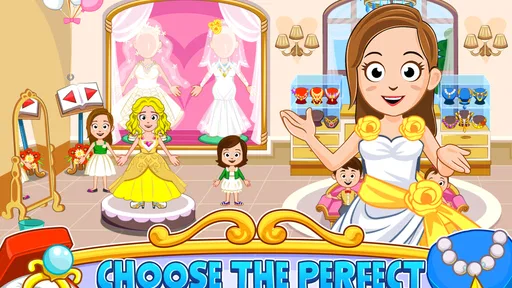
Our Review of My Town : Wedding
 Analysis by Appyee
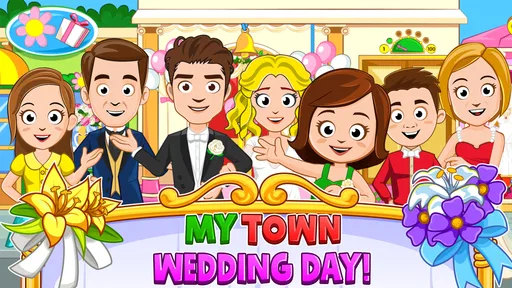
Wedding-themed play sounds simple until a child wants to arrange a whole celebration, move characters around, and keep the story going without interruptions. That is where My Town : Wedding makes its strongest impression. I found it less like a traditional game with a fixed objective and more like a digital playset built around a wedding day. You decide what happens, who attends, and how the scene develops.
That open-ended approach is the reason I would recommend it to families who enjoy imaginative play rather than levels, scores, or competition. It belongs to the educational game category, although its learning value comes mainly through storytelling, sequencing, social play, and decision-making instead of lessons or quizzes. My Town Games Ltd created it for an Everyone audience, and the tone stays light and accessible.
There is a practical side to choosing it, though. This is a paid game at $4.49, with in-app purchases priced at $0.99 per item. It has reached over 50 thousand installs and holds a 4.1 average from more than 600 ratings, so it has a real audience without being one of the enormous mainstream children’s games. I would look at it as a focused creative toy, not as an all-purpose educational platform.
What the wedding playset feels like in everyday use
My first useful observation is that the appeal depends on how much freedom the player enjoys. A child who likes choosing outfits, arranging people, and inventing conversations can spend a long time creating different versions of the same celebration. Another child may open it, look around, and ask what to do next because there is no obvious mission pushing the action forward.
That is not a flaw in itself, but it changes how I would introduce the game. Instead of handing over the device and expecting instructions to carry the experience, I would suggest a small story prompt: prepare the guests, decide where everyone sits, organize the ceremony, or imagine that the celebration has been delayed by a missing item. These prompts give the open setting a starting point without turning it into a rigid checklist.
In a realistic family situation, a child could play for a few minutes while waiting at a restaurant, then return later and continue the same imaginary event. The game works well for that kind of short, flexible session because the goal is not to complete a difficult stage. It is also suitable for shared play, with one child moving characters while another decides what should happen next.
I especially like the way this format encourages children to think in sequences. A wedding story naturally has preparation, arrival, ceremony, celebration, and cleanup. A parent can quietly use those stages to encourage planning: what needs to happen first, who should be involved, and what changes if a guest arrives late? That is a more useful educational angle than simply calling the game “educational” because it is aimed at children.
The trade-off is that the experience may feel repetitive if the player wants constant new mechanics. A conventional puzzle game provides clear progress and fresh challenges. A life-simulation game may offer a broader routine. This title is narrower and more theatrical: its value comes from replaying the same theme with different stories, not from unlocking increasingly complex rules.
Where players can get stuck before the fun begins
The first point of friction is usually expectation. Some families see the word “game” and expect objectives, rewards, or a tutorial. Here, the player may need to explore and decide what counts as success. I would explain that the wedding itself is the activity, while the child supplies the plot.
Another common stumbling block is trying to control too many parts of the scene at once. Young players can become frustrated when they move several characters around without a plan and then lose track of the story. A better workflow is to begin with one small scene, such as preparing the main characters, before adding guests and extra events.
It also helps to give the child time to learn the touch controls without an audience rushing them. If a character is not where expected, I would first try the action again slowly rather than assuming the game has failed. On a small phone screen, a finger can easily cover the object or character being moved. A tablet can make this kind of play more comfortable, although I would not treat a larger screen as a requirement.
Because the game is aimed at Everyone, I would expect the tone to be suitable for broad family use, but that does not mean every child will understand the open structure immediately. Younger players may benefit from an adult demonstrating one complete mini-story. Once they see that they can invent the order of events, the lack of a formal mission becomes a strength rather than a barrier.
Setup checks that prevent avoidable frustration
Before buying or installing, I would check the device requirements carefully. The listed minimum is Android 8.0, and the current version is 7.03.09. That makes the operating system an important first check, especially on an older hand-me-down phone or tablet. A compatible device is a much better starting point than trying to troubleshoot a problem caused by an outdated system.
I would also make sure the child’s device has enough free space for a normal installation and that the connection is stable while obtaining the game. If installation pauses, I would check the device’s available storage and retry from the official app store rather than repeatedly tapping the install button. These are ordinary checks, but they solve many problems that can look like a fault in the game.
The purchase model deserves a family discussion before the child starts playing. The game costs $4.49, and additional items are listed at $0.99 each. I would complete the purchase with the adult account, review the device’s purchase controls, and make clear who is allowed to approve anything extra. That avoids turning a creative play session into an argument about an unexpected transaction.
It is also worth deciding whether the child will play independently or with supervision. The Everyone rating makes the game broadly approachable, but supervision is still useful for younger children who may tap unfamiliar store or device controls. I would treat age suitability and purchasing habits as separate questions: a game can be appropriate for a child while still benefiting from adult control over payments.
If the title does not appear correctly after installation, I would close and reopen the store, confirm that the intended account is active, and restart the device. I would avoid deleting saved content as a first response. Reinstallation can sometimes remove local progress, so it should be considered only after simpler steps and only when the family is comfortable with that risk.
A calmer workflow for building a complete story
My preferred way to use the game is to divide play into short creative phases. First, decide the central event. Second, choose the people who need to be present. Third, arrange the scene. Only after that would I start moving everyone through the story. This reduces the feeling of random tapping and gives the child a clear role in directing the action.
For a younger player, I would keep the first scenario deliberately small. One preparation scene and one celebration scene are enough. Asking the child to remember every guest, location, and event at once can make the game feel confusing. Once the basic flow is familiar, the child can add complications such as an unexpected arrival or a change in the ceremony.
A useful advanced habit is to narrate actions aloud. Saying, “The guests arrive first, then the ceremony begins,” turns movement into a sequence and helps the child connect cause and effect. It also gives siblings a way to cooperate: one can narrate while the other handles the controls, then they can switch roles.
If the story becomes messy, I would not immediately restart the entire session. I would pause the narrative, choose one character, and return that character to the next sensible part of the scene. This recovery method preserves the child’s ownership of the story. In open-ended play, recovering from confusion is often more satisfying than resetting everything.
Another practical tip is to create a simple “before and after” routine. Before playing, the child says what the wedding needs. At the end, the child explains what happened. That turns a few minutes of play into a small storytelling exercise and gives parents a natural way to see whether the game is holding the child’s attention.
These approaches also reveal who will enjoy the title most. It is a good fit for children who like role-play, family stories, arranging scenes, and collaborative play. It is less suitable for a child who mainly wants racing, action, timed challenges, or a clear reward after every task. Buying it for the wrong play style would make the open design feel empty.
When the game may not be the real cause of a problem
Not every loading, control, or installation issue comes from the game itself. A weak connection, an almost-full device, an outdated operating system, or an account problem can produce similar symptoms. My troubleshooting order would be simple: check the system version, confirm storage, restart the device, reopen the store, and try again under a stable connection.
If the game opens but feels slow, I would first close other demanding apps and restart the device. I would also check whether the problem happens everywhere or only in one particular scene. A general device slowdown points in a different direction from a single misplaced character or a momentary touch-control error.
When controls seem unresponsive, I would clean the screen, remove anything obstructing touch input, and try a slower, more precise gesture. Children often tap repeatedly when an action does not happen immediately, which can make it harder to tell whether the original tap registered. Demonstrating one deliberate action is usually more helpful than adding speed.
For purchase-related trouble, I would separate three questions: was the game installed, is the correct account active, and is the purchase authorized on the device? Keeping those questions separate avoids blaming the game for a store-account issue. I would also keep receipts and use the platform’s normal support route for billing concerns rather than attempting repeated purchases.
There is a similar distinction with expectations. If a child says the game is boring because nothing is telling them what to do, that may be a design mismatch rather than a technical fault. I would try one guided story first. If the child still prefers fixed challenges, a puzzle or adventure game with explicit objectives would probably be a better choice.
How it compares with familiar alternatives
Compared with educational apps built around spelling, arithmetic, or memory exercises, this game is less direct about academic practice. I would not choose it as a replacement for a structured learning app when the goal is reading fluency or number skills. Its educational benefit is more social and creative: planning, language, sequencing, and imaginative problem-solving appear through play.
Compared with a typical dress-up app, the wedding theme gives children a stronger narrative frame. Clothing and characters are not only about appearance; they can support a story about preparation and celebration. The limitation is that the theme may not hold a child’s attention forever. A broader pretend-play title may offer more variety for families who want many settings rather than one central event.
Compared with competitive games, the absence of scores and pressure is a real advantage for relaxed family play. There is no need to win before someone else does. On the other hand, children who are motivated by achievement may find less reason to return unless an adult or sibling helps create new scenarios.
I would also distinguish it from a full life-simulation game. Those games often ask players to manage longer routines or systems. This one is easier to understand as a contained pretend-play environment centered on a wedding. That focus makes it approachable, but it also means the purchase is best justified by genuine interest in the theme.
Who should choose it, and who should pass?
I would recommend it to parents looking for a calm, child-friendly creative game that can be played alone or shared. It is particularly appealing when a child enjoys making up dialogue, arranging people, and replaying familiar events in new ways. The paid entry price may also appeal to families who prefer knowing the main cost before handing over the device, while still remembering that extra items have their own listed charge.
I would hesitate if the child needs a tutorial-led experience or becomes frustrated without visible progress. I would also skip it for a player who has no interest in wedding stories or social role-play. The theme is not a minor decoration; it is the reason the playset works. A different educational game would be more useful for targeted school practice, and a conventional action game would be more satisfying for players seeking challenge.
Parents should also consider the device itself. The minimum Android requirement of 8.0 makes compatibility easy to check, but an older device can still create a poor experience if it is crowded with apps or has unreliable touch input. I would test the game during a quiet moment rather than introducing it for the first time during a rushed trip or an important family event.
My practical verdict after using it
My Town : Wedding succeeds when I treat it as an interactive story box, not a conventional level-based game. Its best moments come from the child deciding what the celebration means, arranging the participants, and recovering creatively when the story takes an unexpected turn. That freedom gives it more replay value than the short store description suggests, but only for children who enjoy inventing their own reasons to continue.
The setup is straightforward when the Android version, storage, connection, and purchase settings are checked in advance. Most early frustration can be reduced by starting with a small scene and guiding the first story instead of expecting the game to explain everything. If a problem appears, I would troubleshoot the device and account basics before assuming the app is responsible.
My final recommendation is positive but specific: choose it for imaginative wedding-themed play, gentle cooperation, and storytelling practice. Do not choose it as a substitute for academic drills, a competitive challenge, or a large all-purpose simulation. With the right expectations, it becomes a pleasant creative activity that children can revisit in short sessions and shape in their own way.
Verdict
Strengths of My Town : Wedding
- Colorful wedding locations encourage creative role-play.
- Many characters and outfits support varied storytelling.
- Simple controls are suitable for younger children.
- Offline play makes it convenient during travel.
- Familiar My Town style allows crossover with other games.
Limitations of My Town : Wedding
- Some content may feel repetitive after extended play.
- The large number of items can make choices feel overwhelming.
- Performance may vary on older phones and tablets.
- Limited challenge may not appeal to older players.
- Extra characters or locations may require additional purchases.
Other Releases by My Town Games Ltd
View All
My Town Home: Family Playhouse
Educational4.3

My Town : Beach Picnic
Educational4.0

My Little Princess : Wizard
Educational3.7

My Town : Daycare
Educational4.1
Similar Picks in This Category
View All
Little Panda Policeman
BabyBus4.0

Monster Trucks Game for Kids 2
Raz Games4.1

Little Panda's Chinese Recipes
BabyBus4.4

Little Panda's Restaurant
BabyBus4.4

Little Panda's Ice Cream Games
BabyBus4.3

Baby Panda Care
BabyBus3.8
Frequently Asked Questions
What is My Town: Wedding about?
My Town: Wedding is a family-friendly digital dollhouse game where players can create stories around a wedding celebration. You can explore different locations, dress characters in formal outfits, prepare the ceremony, and act out events such as getting ready, taking photos, welcoming guests, and celebrating at the reception. There is no fixed storyline, so children can freely invent their own scenarios and role-play experiences.
What can you do in My Town: Wedding?
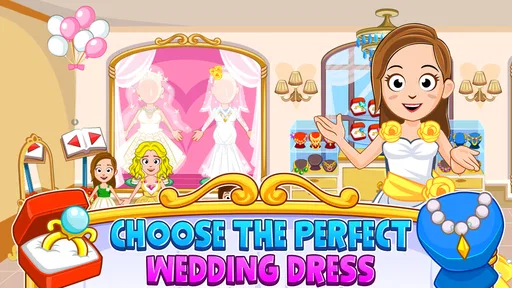
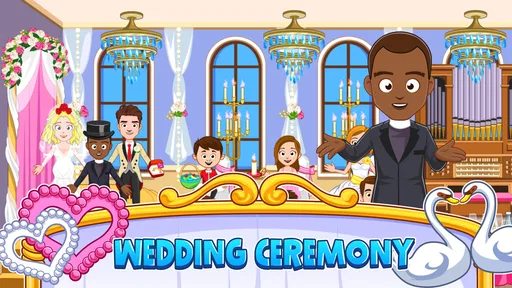
The game offers several wedding-themed areas and interactive objects to explore, including preparation rooms, ceremony spaces, reception areas, and places connected with the celebration. Players can move characters around, change their clothes, use accessories, interact with furniture and decorations, and arrange scenes however they like. Its open-ended design makes it more about creativity and storytelling than completing missions or winning levels.
Is My Town: Wedding suitable for children?
My Town: Wedding is designed primarily for children and families, with simple controls, colorful visuals, and non-competitive gameplay. Younger players can usually understand the tap-and-drag interactions quickly, while parents may appreciate the creative role-play format. However, adults should still review the app’s current age rating, advertising, in-app purchase settings, and privacy information before installation, especially when the device is used by a child.
Does My Town: Wedding require an internet connection?
The main role-playing experience is generally intended to be playable offline after the application and its required content have been installed. This is useful for children who want to play while traveling or without mobile data. Internet access may still be needed for downloading the game, receiving updates, restoring purchases, or accessing store-related features. Availability and requirements can vary by device version and future updates.
Is My Town: Wedding free to download, and are there purchases?
The price and included content can differ between the Android and iOS versions, so it is important to check the official store listing before downloading. Depending on the edition, some content may be included while additional features, characters, or related purchases may be offered separately. Parents should use device-level purchase restrictions and confirm payment settings to prevent accidental transactions when children are playing.
Play our best games!


